Use the screens you have
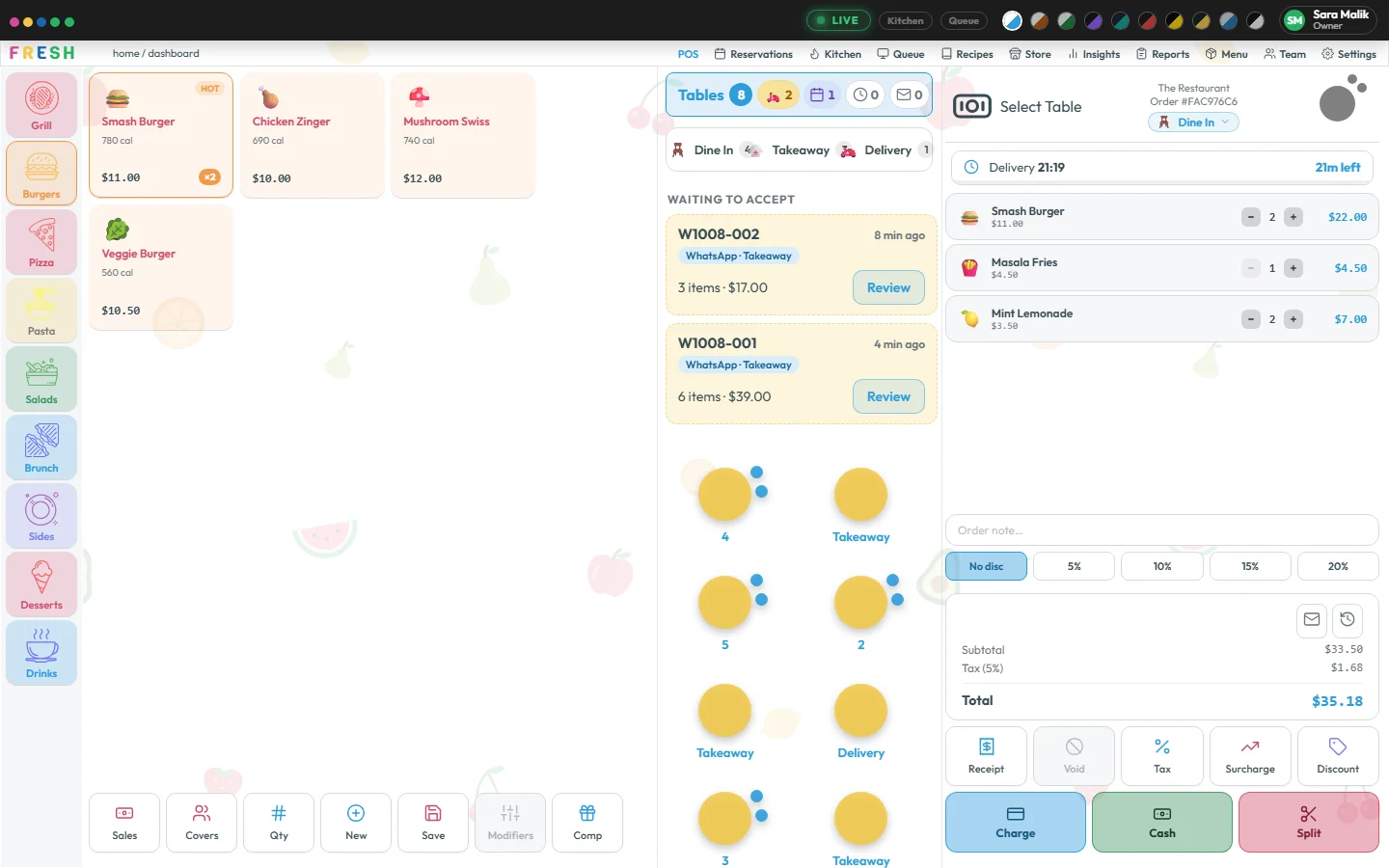
Fresh runs in the browser on a tablet, laptop or touchscreen. Your floor staff get a phone app; your guests don’t need one at all.
🍋 30 days free · no card to start
A friendly restaurant point of sale that lets guests order from their table, takes your WhatsApp and delivery orders, keeps the kitchen in the loop and remembers your regulars. Then ask your AI assistant how the day went. All from one login, on the screens you already have.
Your menu in from a photo · The screens you already have · Set up with our help · Cancel any time
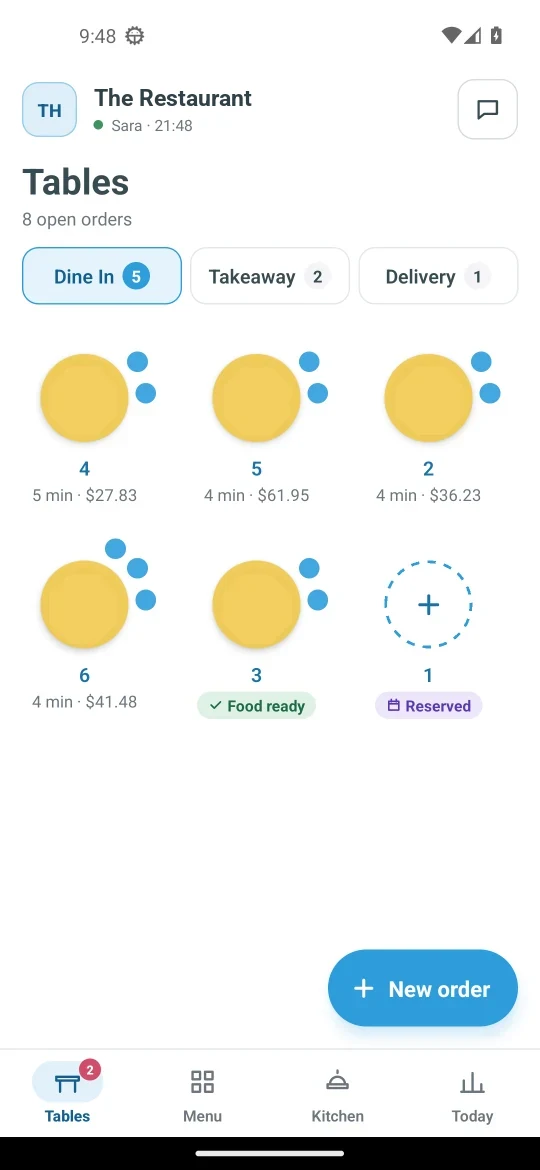
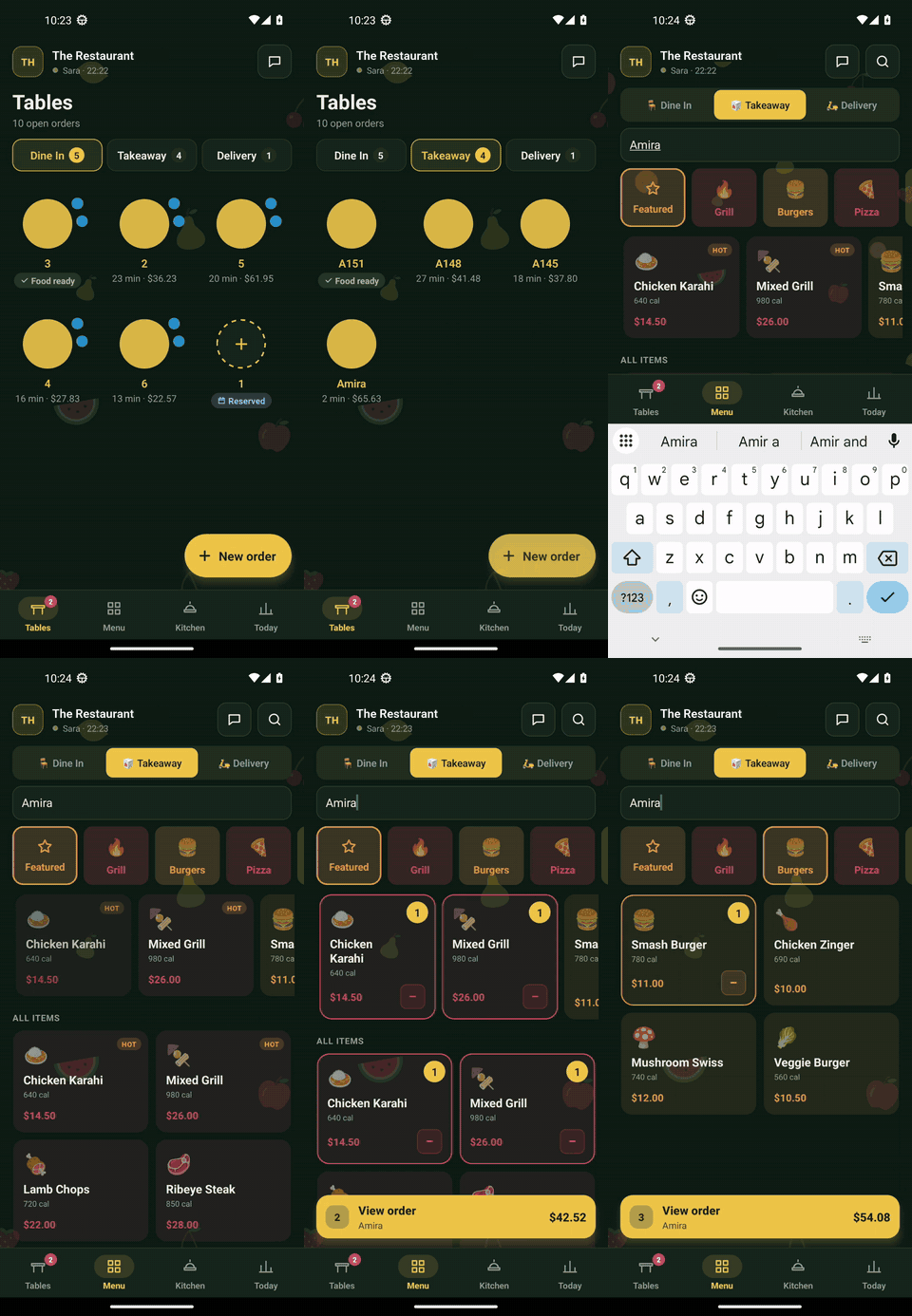
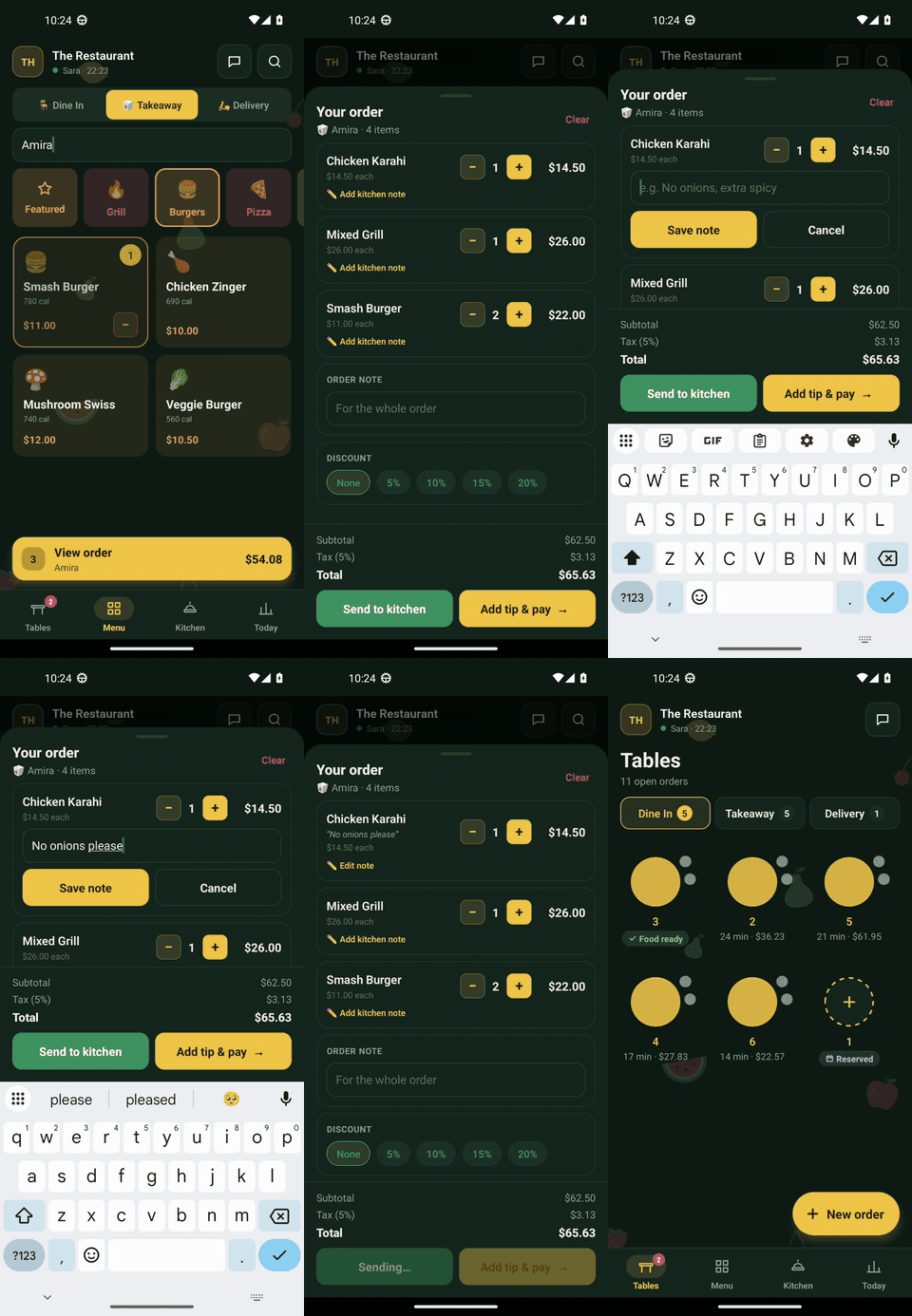
📱 The waiter’s app: every table, its bill and when the food is ready
Fresh runs in the browser on a tablet, laptop or touchscreen. Your floor staff get a phone app; your guests don’t need one at all.
Order types, tax, receipts, loyalty rules, opening hours, even the colors on screen: if a restaurant might want it different, it’s a setting.
Orders come to your own WhatsApp number and your own delivery app, with no marketplace in between, and every regular you serve is yours to thank and invite back.
New · AI assistant
Connect Claude, or any AI assistant that supports MCP, and ask in plain words. It reads the same figures as your screens, within your own permissions, and it cannot change a thing.
What is the current stock of meat?
Reading stock levels · read-only
Here is the meat in stock right now:
| Item | In stock | Minimum |
|---|---|---|
| Beef mince | 15.6 kg | 5 kg |
| Chicken thigh | 18.4 kg | 6 kg |
Show me today’s sales
Reading the sales summary · read-only
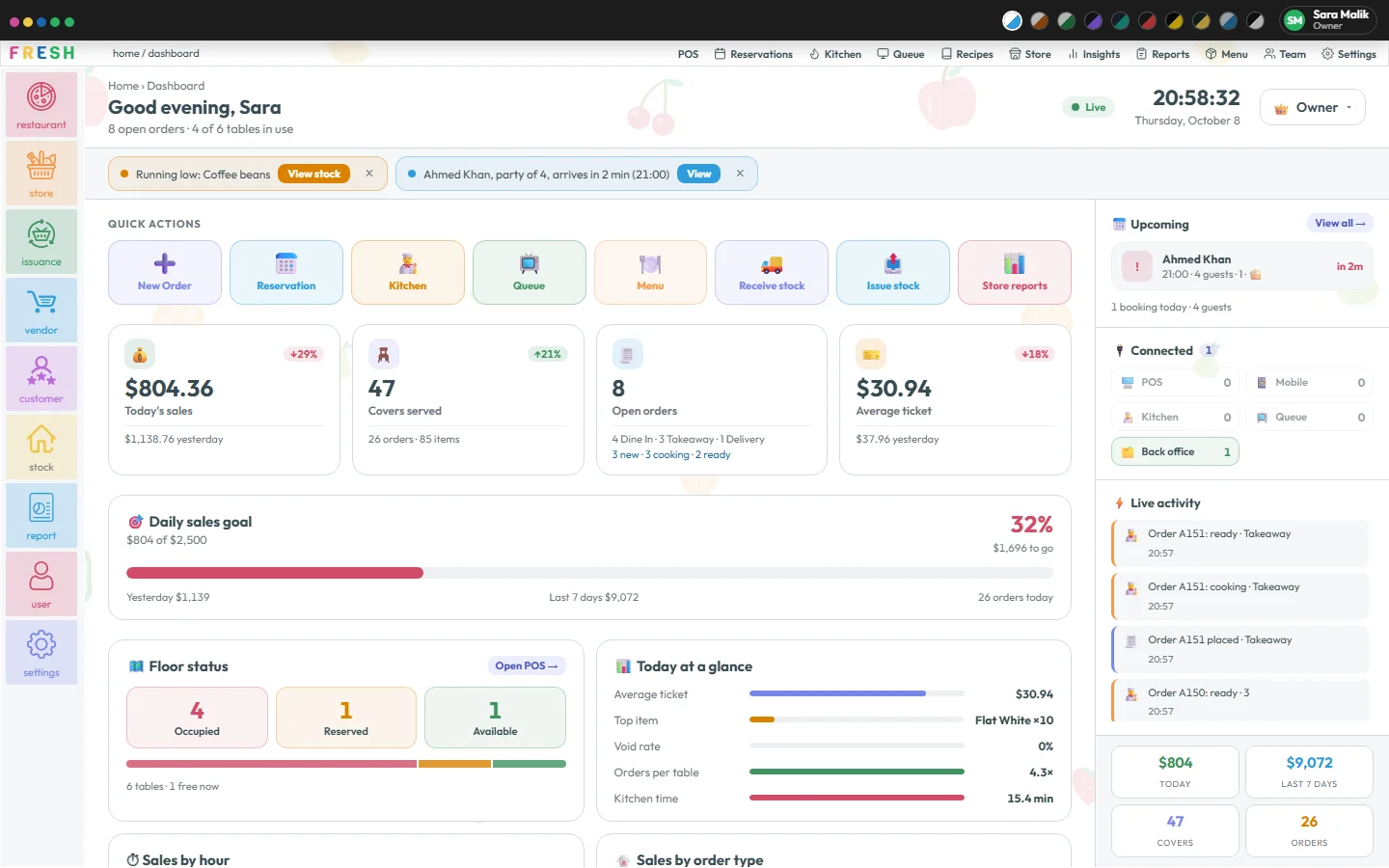
Today so far: $804.36 from 26 orders and 47 covers. The average ticket is $30.94 and the busiest hour was 18:00. Guests paid 58% cash, 42% card.
Add this menu to my POS, please. 📷 menu.jpg
Making a menu draft · for you to check
I read 9 dishes in 4 sections. 5 are new, 2 are already on your menu and 1 price needs a look. Nothing is on the till yet: check the draft and press Add to menu.
An example. The figures are read live from your POS.
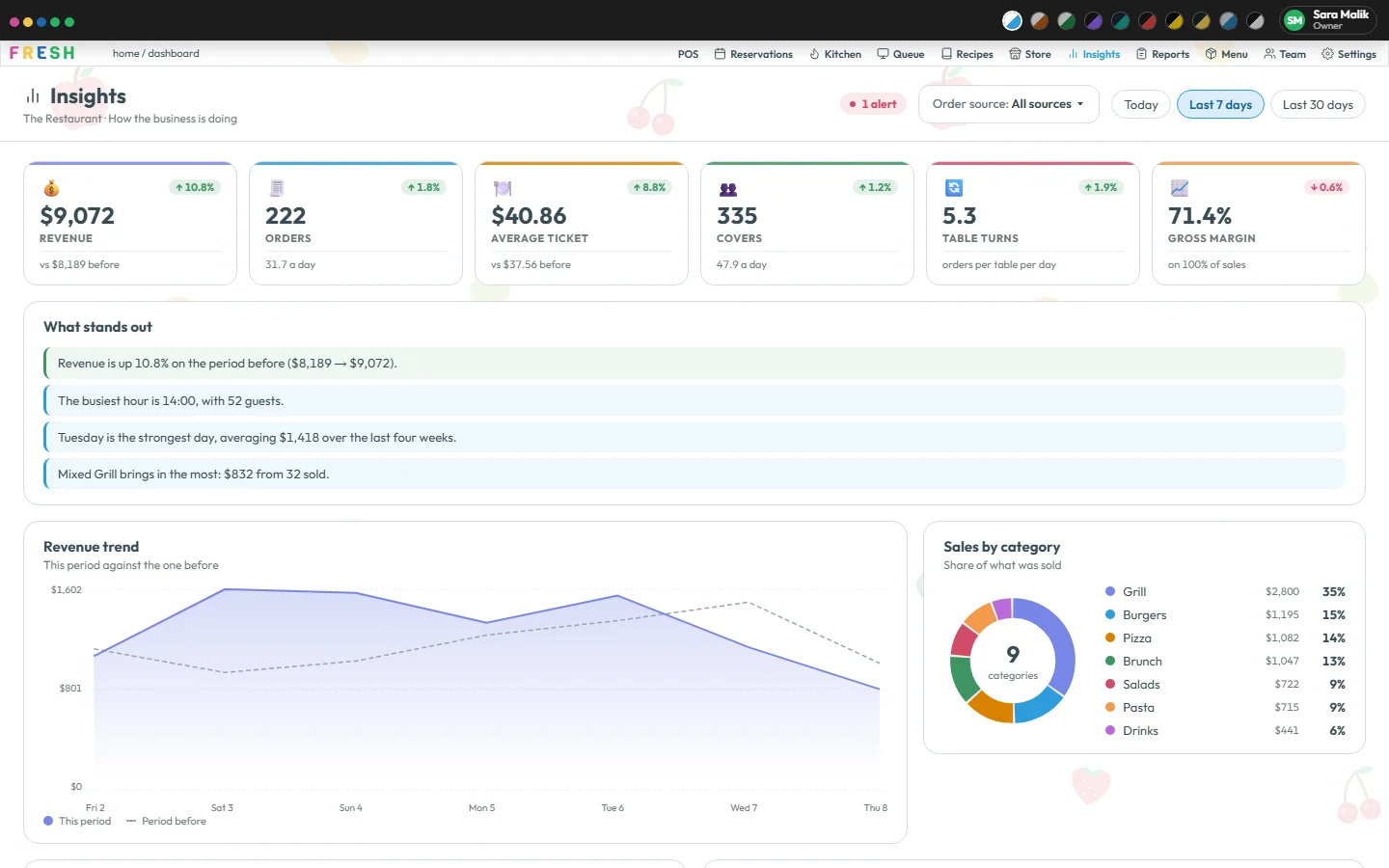
“Which dishes are slow?” “How many orders were late today?” “Who sold the most this month?” Sales, stock, menu, kitchen, floor, purchasing and team, for any period you name.
Photograph your printed menu or menu board. Fresh turns it into a draft with categories, prices and sizes; you check each line and press Add to menu. Undo works for 24 hours.
Read-only. Never more than the person who connected it, checked again on every question. Cash is the owner’s to share, and customers’ contact details are never given out.
Switching from another POS
No hardware to buy, no menu to type, no contract to sign. Move over in an afternoon, then take a full three months to decide.
Your restaurant’s name, your name, email and a password. No card, no call, no contract. Your 30 days start now, on every screen of the plan you pick.
Photograph the printed menu, the board or the old POS’s item list. Fresh reads it into a draft with categories, prices and sizes; you check it and press Add to menu.
Sign in on the tablet, laptop or touchscreen already on the counter. Waiters get the phone app, the kitchen any screen with a browser.
Add your team and their roles, then go. Connect your WhatsApp number and your Stripe account whenever you’re ready, not before.
Stories
A twelve-table café
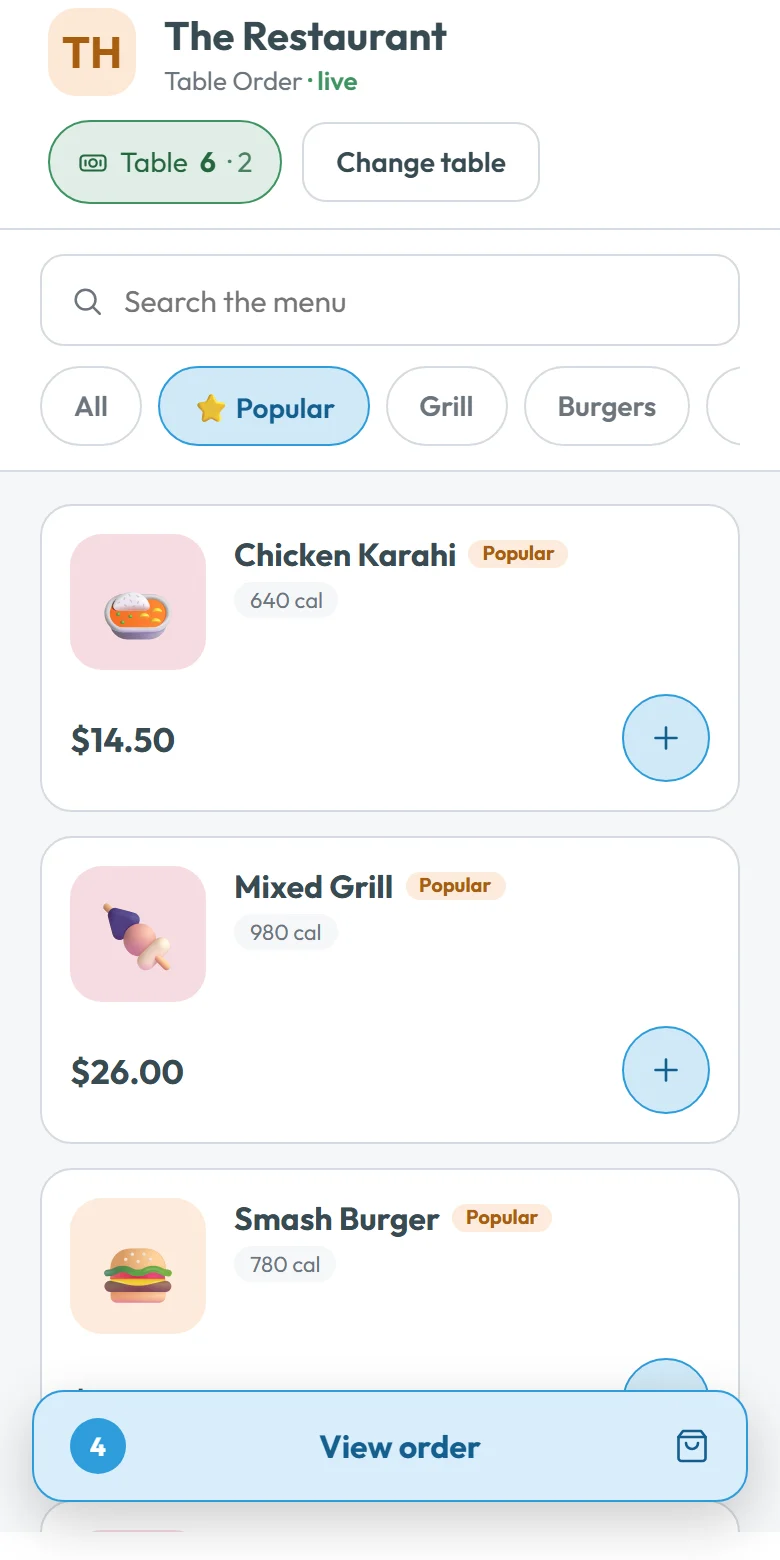
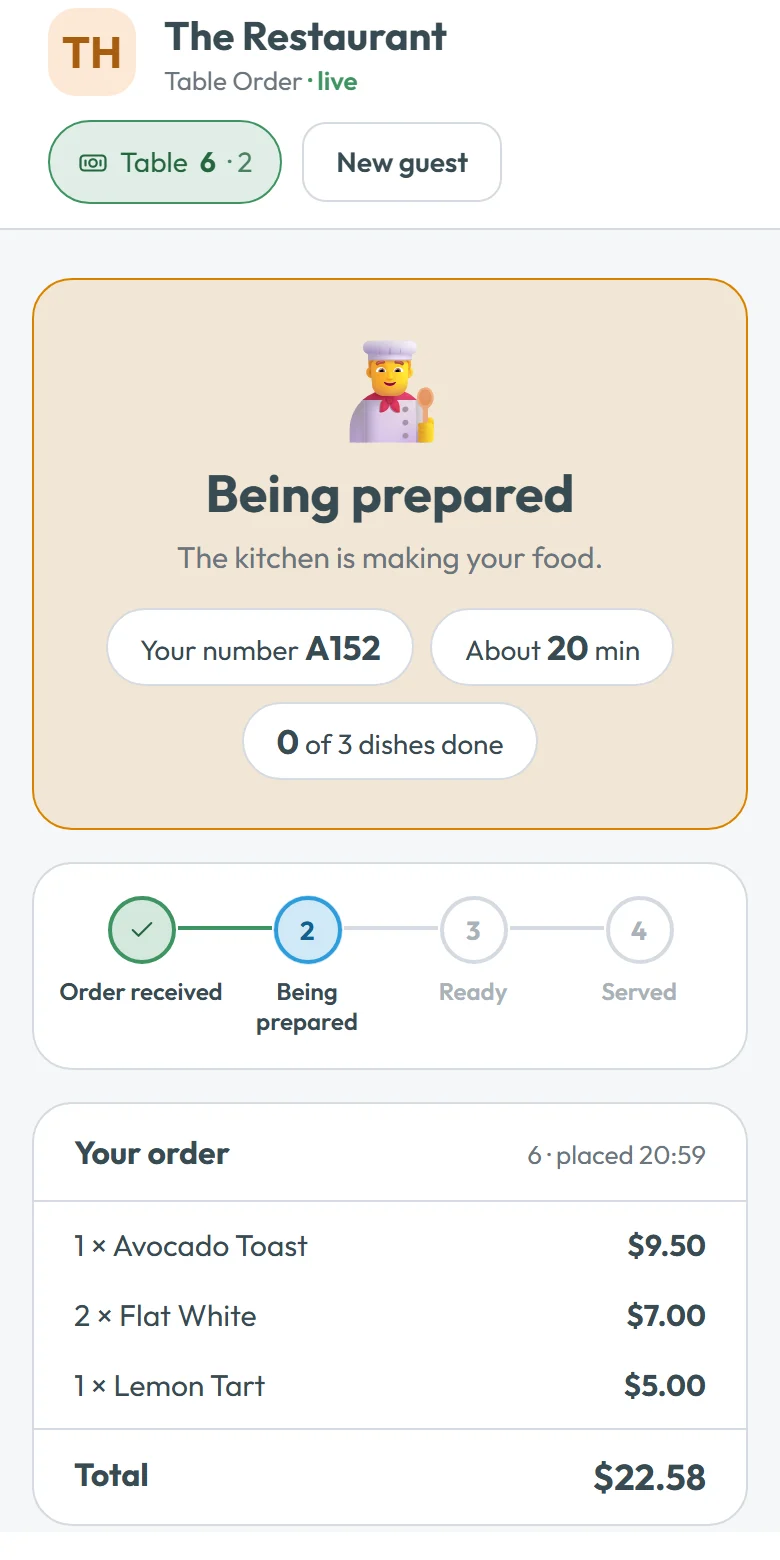
Saturday brunch used to mean one person at the counter and two running between tables taking orders on a notepad. Now there’s a QR code on every table. Guests scan it and order on their own phone from the real menu, with the real prices and the dishes you’ve marked sold out, and follow it from cooking to ready right there.
The staff carry food, not notepads. And when a regular gives their number at the till, their visits and points add up on their own, with no card and no app.
A family takeaway
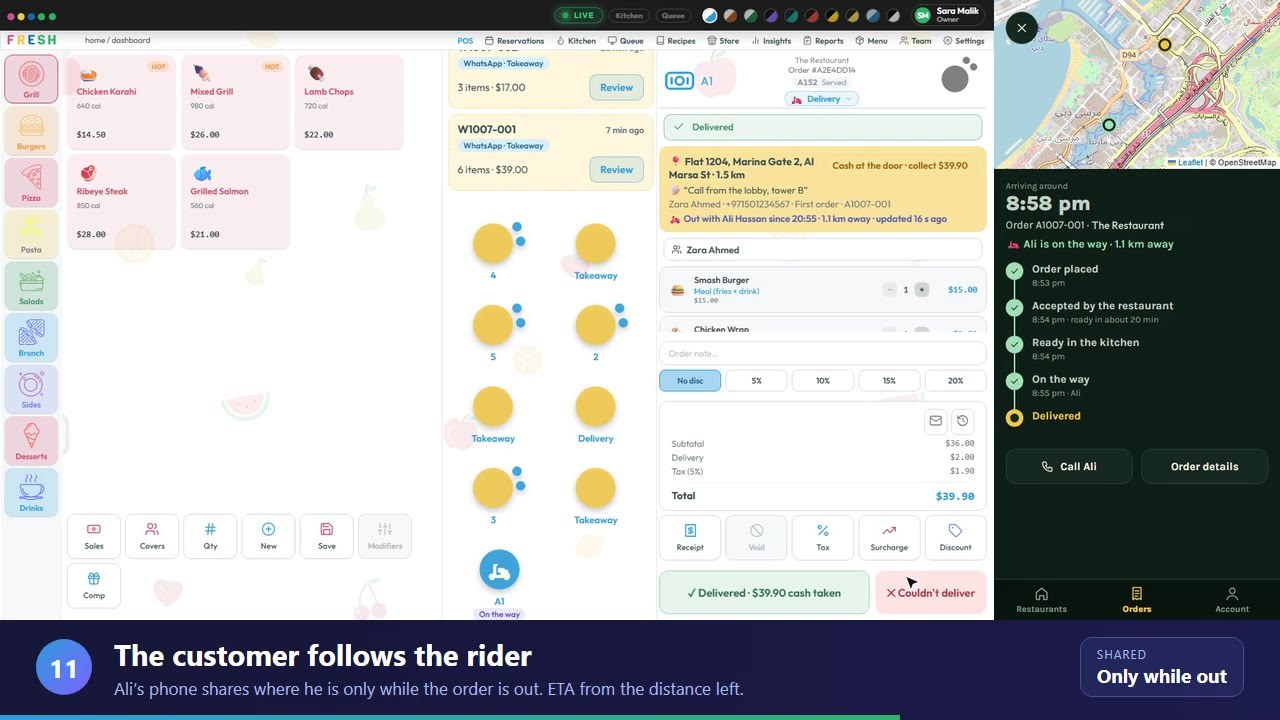
Half the takeaway came in as WhatsApp messages to the owner’s phone, then got copied onto a pad, then shouted to the kitchen. Now customers message the restaurant’s own WhatsApp number and order from its menu.
Each order chimes on the POS for staff to accept or reject. Once it’s accepted, the customer is told; when the kitchen marks it ready, they’re told again. Customers who want it delivered get a link to the restaurant’s own ordering app, and one of its own riders takes it to the door.
A busy bistro kitchen
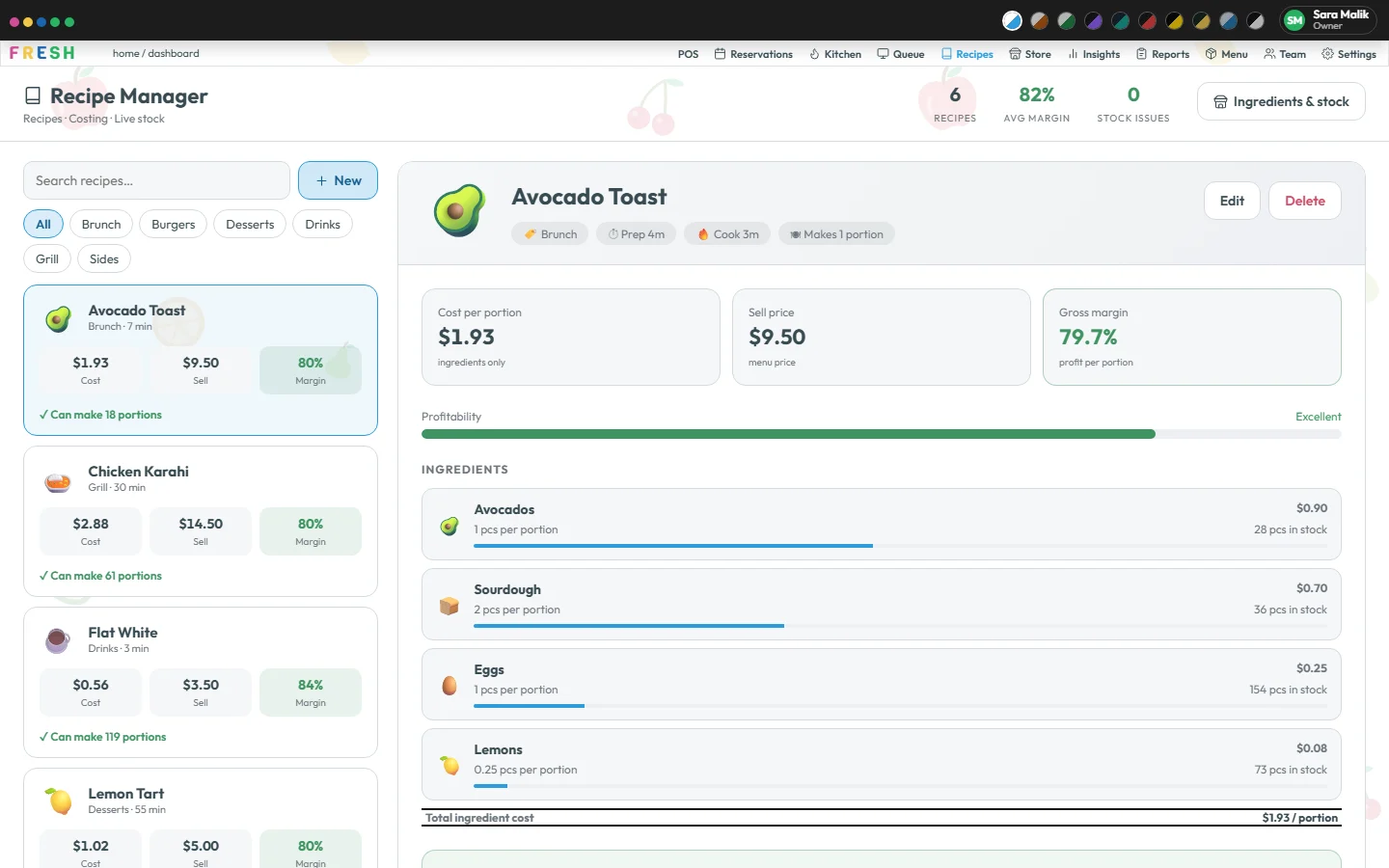
Every dish has a recipe with its ingredients, so Fresh knows what each plate costs to make and what you keep. When an order is completed, its ingredients come off the stock on their own.
When the coffee beans run low, it’s on the Home page. A purchase order goes to the supplier from the same screen, and receiving the delivery puts it straight back on the shelf, with what it actually cost.
An owner-run restaurant
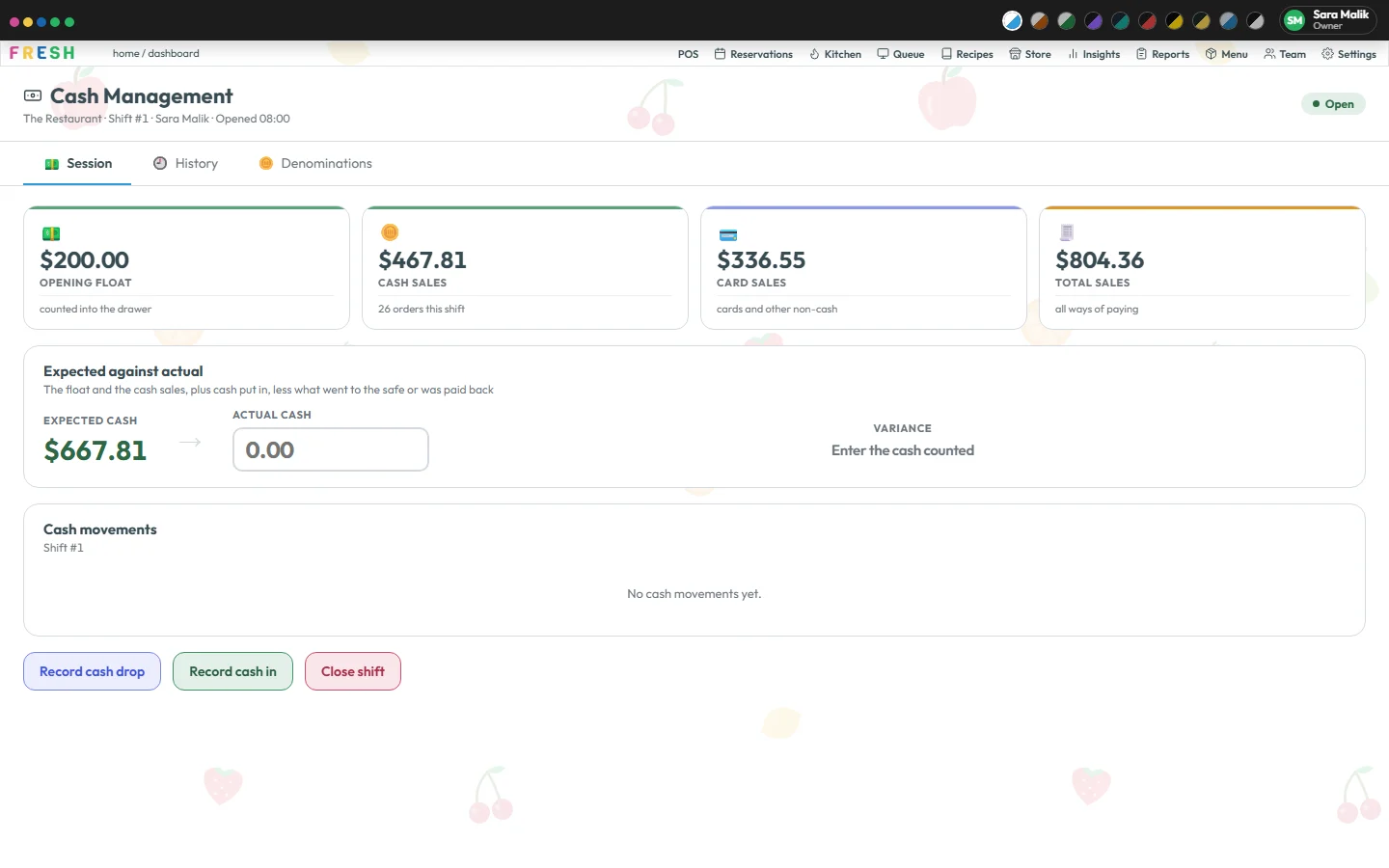
The till opens with a counted float. Cash sales, drops and refunds are all recorded as they happen, so at the end of the night Fresh already knows what the drawer should hold.
Count it by notes and coins, compare, tick the closing checklist and the Z-report is done. A voided dish needed a manager’s PIN; a refund was written once and kept. Nothing to reconcile at midnight.
WhatsApp ordering
Customers order on your own WhatsApp number by tapping lists and buttons. Your team accepts each order, and it becomes a real order in Fresh.
Customer
They message your restaurant’s WhatsApp number. Fresh answers with a welcome and your menu categories, as a WhatsApp list.
Customer
Tapping through WhatsApp’s own lists and buttons: a category, a dish, any required choices, how many. Only items that are on and not sold out are offered.
Customer
They add a note if they like, then see Please check your order with Place order, Edit cart and Cancel. The cart is re-checked against your menu at that moment, so nobody orders what they were not shown.
Your team
The order chimes on the POS under Waiting to accept, with a reference, their name and number, the dishes and a ready-in time you set. Accept or reject.
Kitchen
Accepting builds a real Fresh order with tax worked out by the POS, and sends it to the kitchen display like any other.
Customer
WhatsApp messages them when it is accepted (or rejected) and again when the kitchen marks it ready. They pay when they collect, or order through your order link to pay by card.
Hi
Welcome to The Restaurant! What would you like to order?See the menu
Burgers → Smash Burger
How many would you like?
2
Please check your order
2 × Smash Burger
Subtotal $22.00Place orderEdit cartCancel
Place order
Thanks! We’ll message you here as soon as the restaurant accepts it.
a few minutes later
Your order W1001-001 is accepted. Ready in about 20 minutes.
Your order W1001-001 is ready to collect!
An example. Your menu, currency and wording come from your own settings.
On the floor
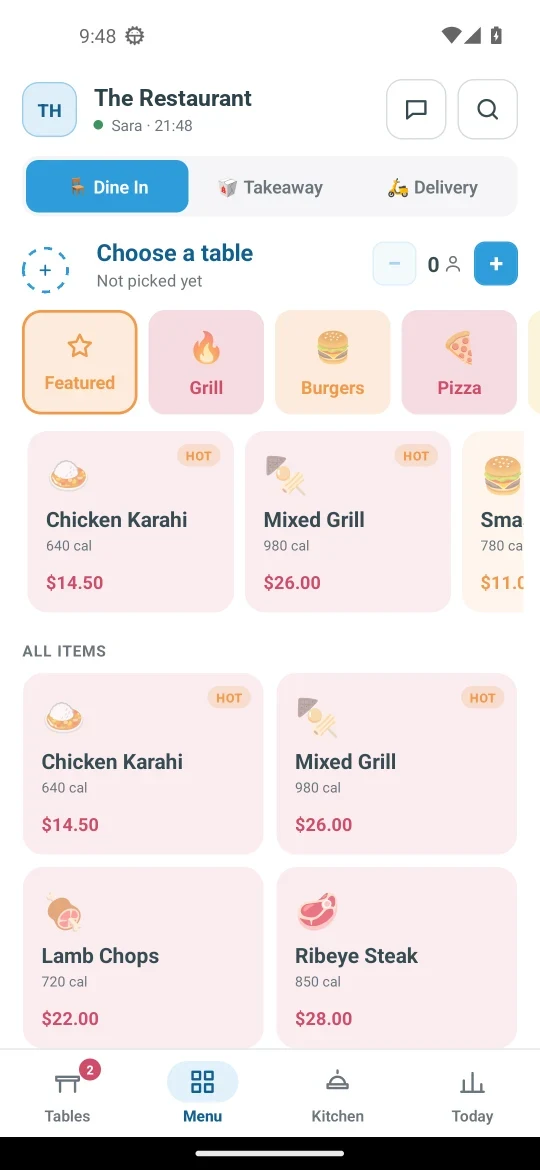
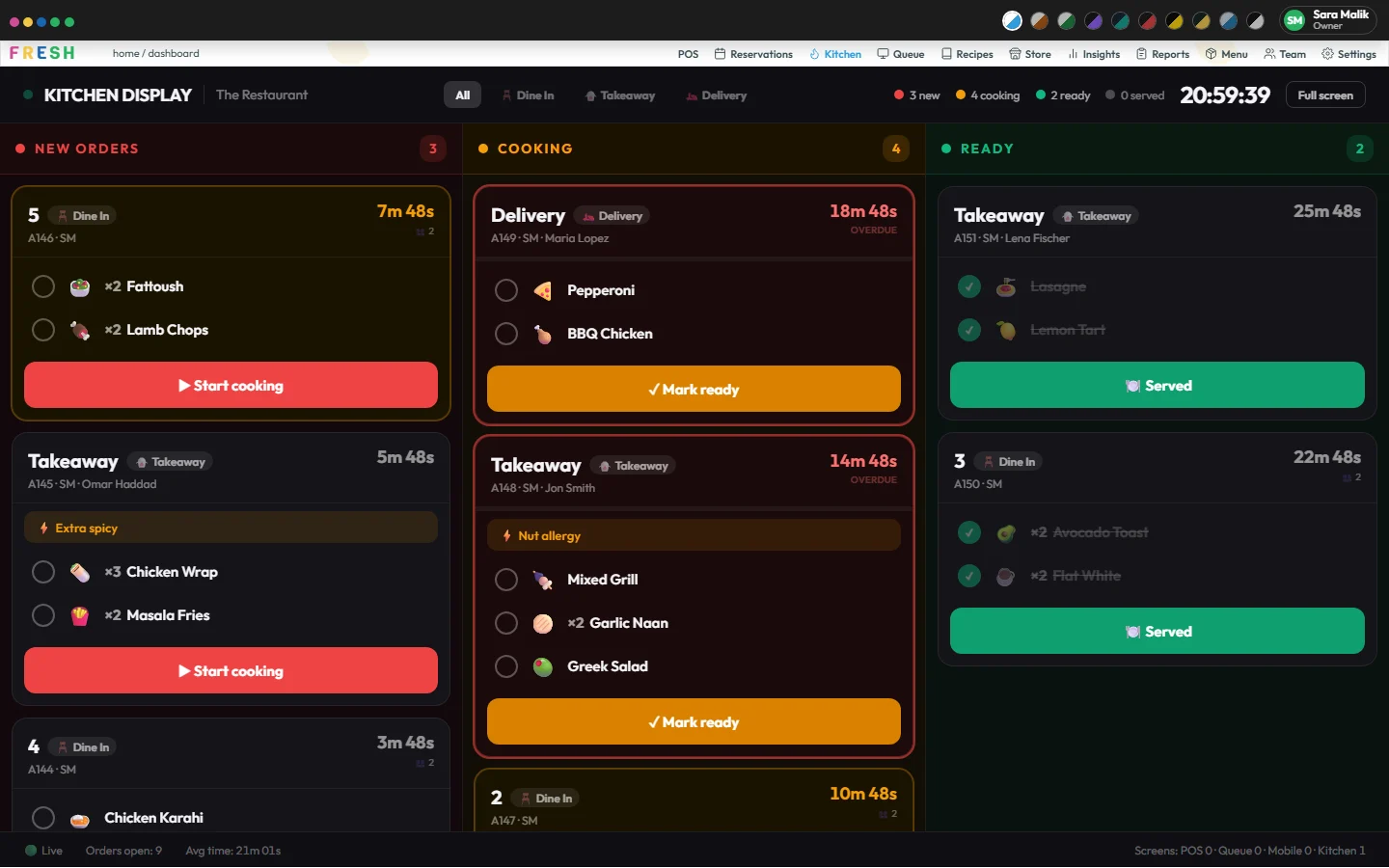
Every table at a glance, the menu to take an order at the table, and the kitchen’s board for the chef. The same orders as the till, live.
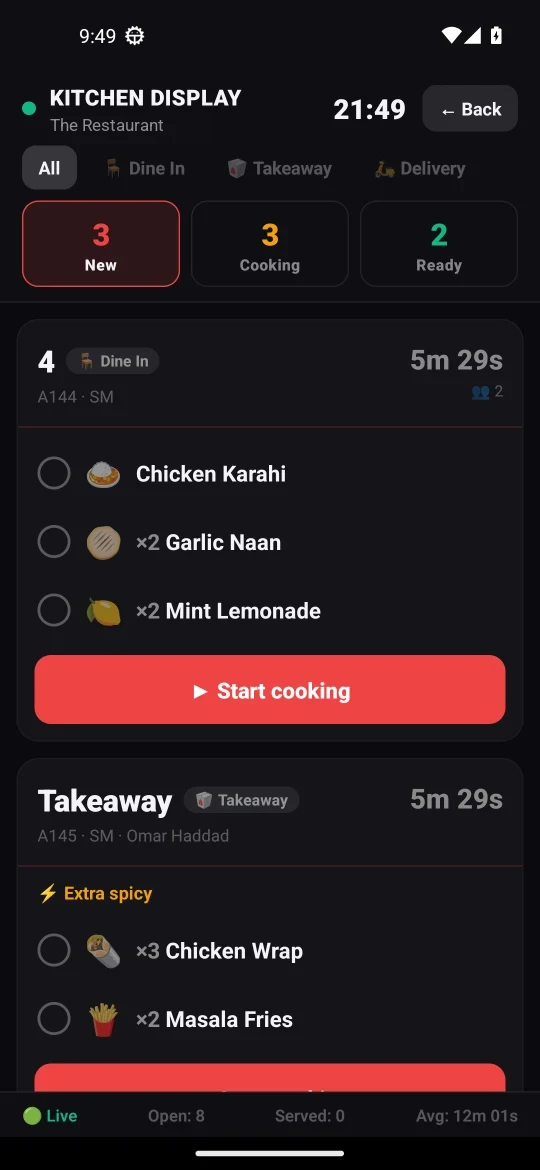
See it happen
Pick a table, tap the dishes, send it to the kitchen and take the payment: at the till and on the waiter’s phone. Recorded from the real app in the Fresh Grove theme.
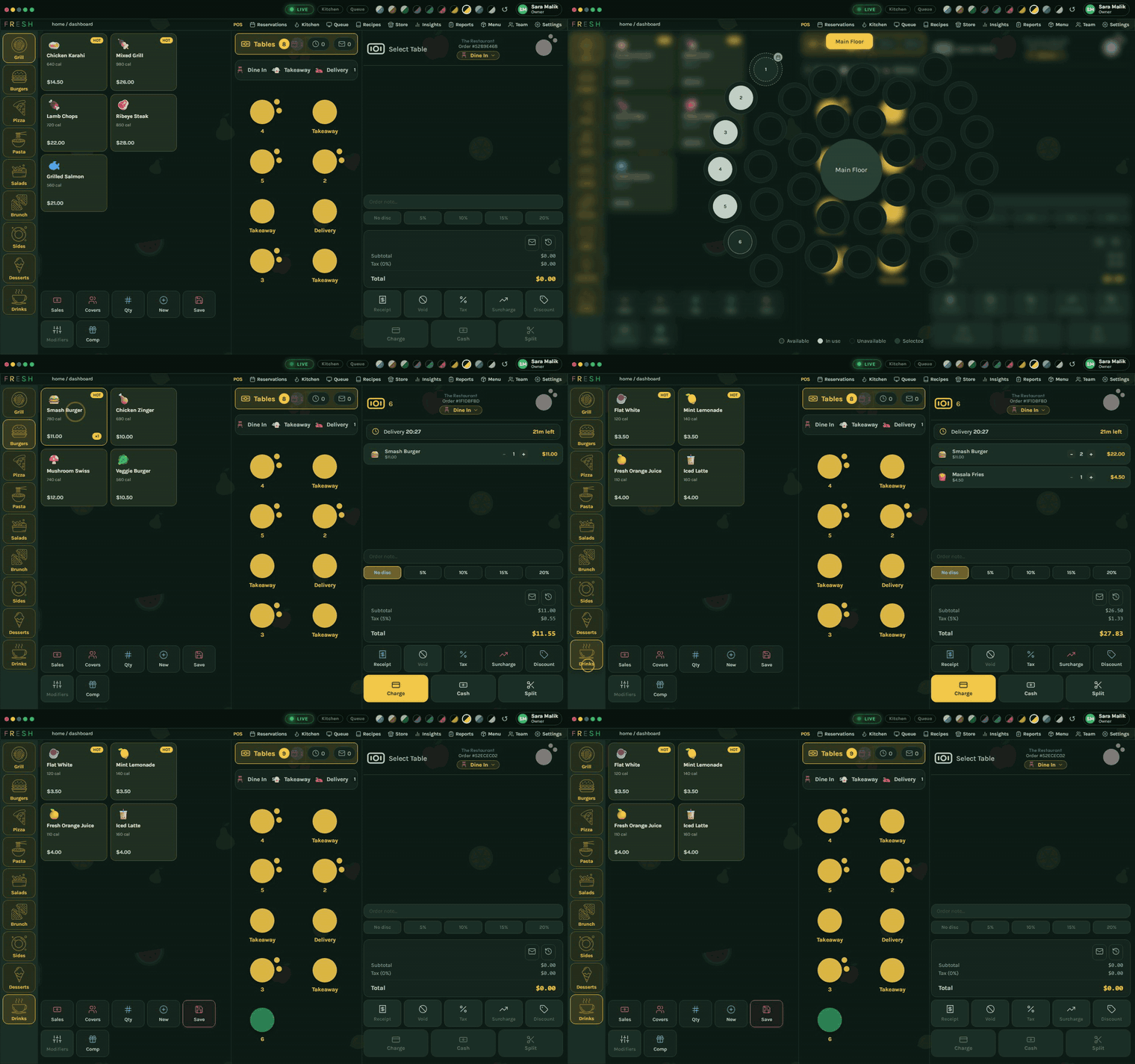
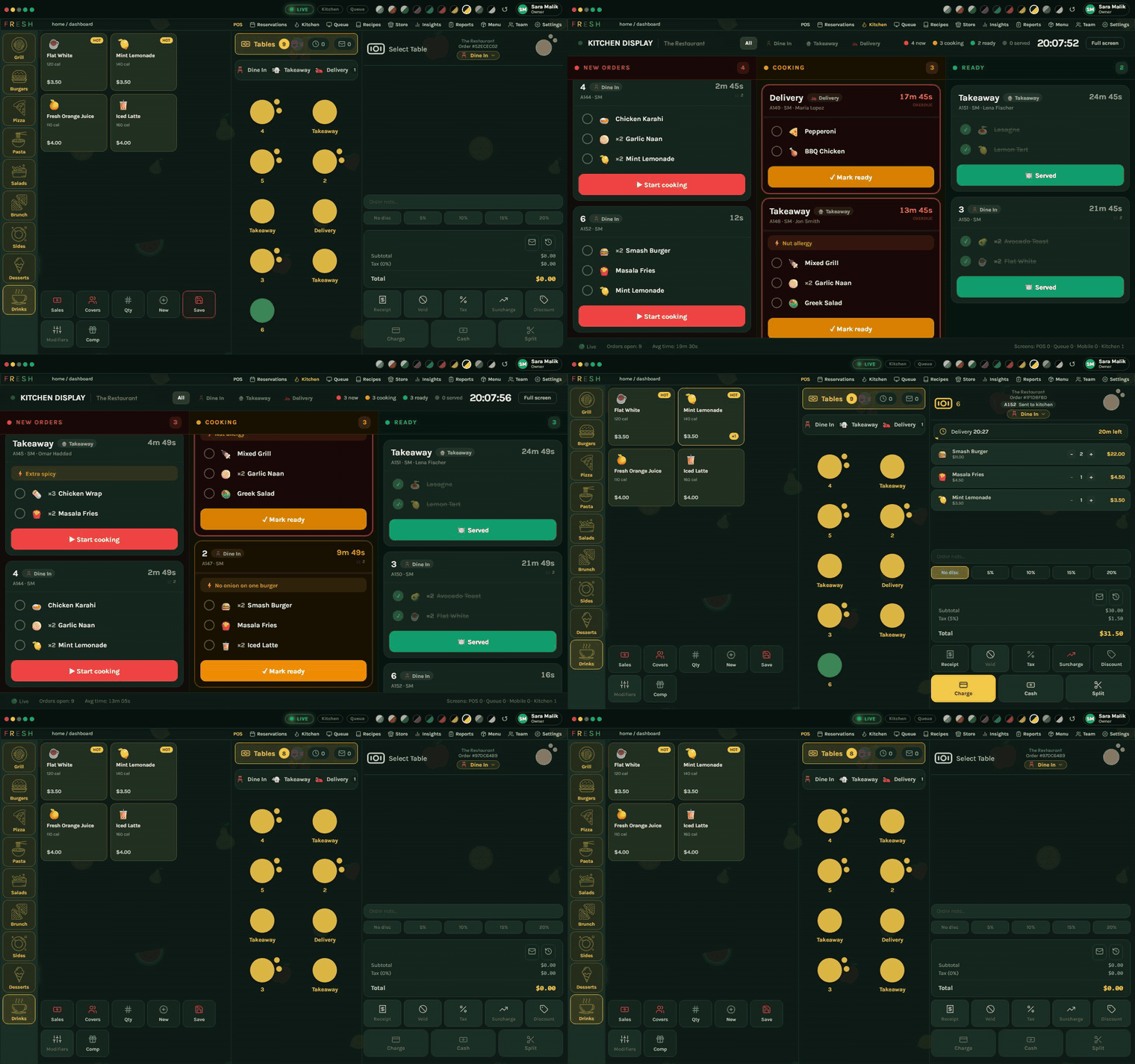
The real thing
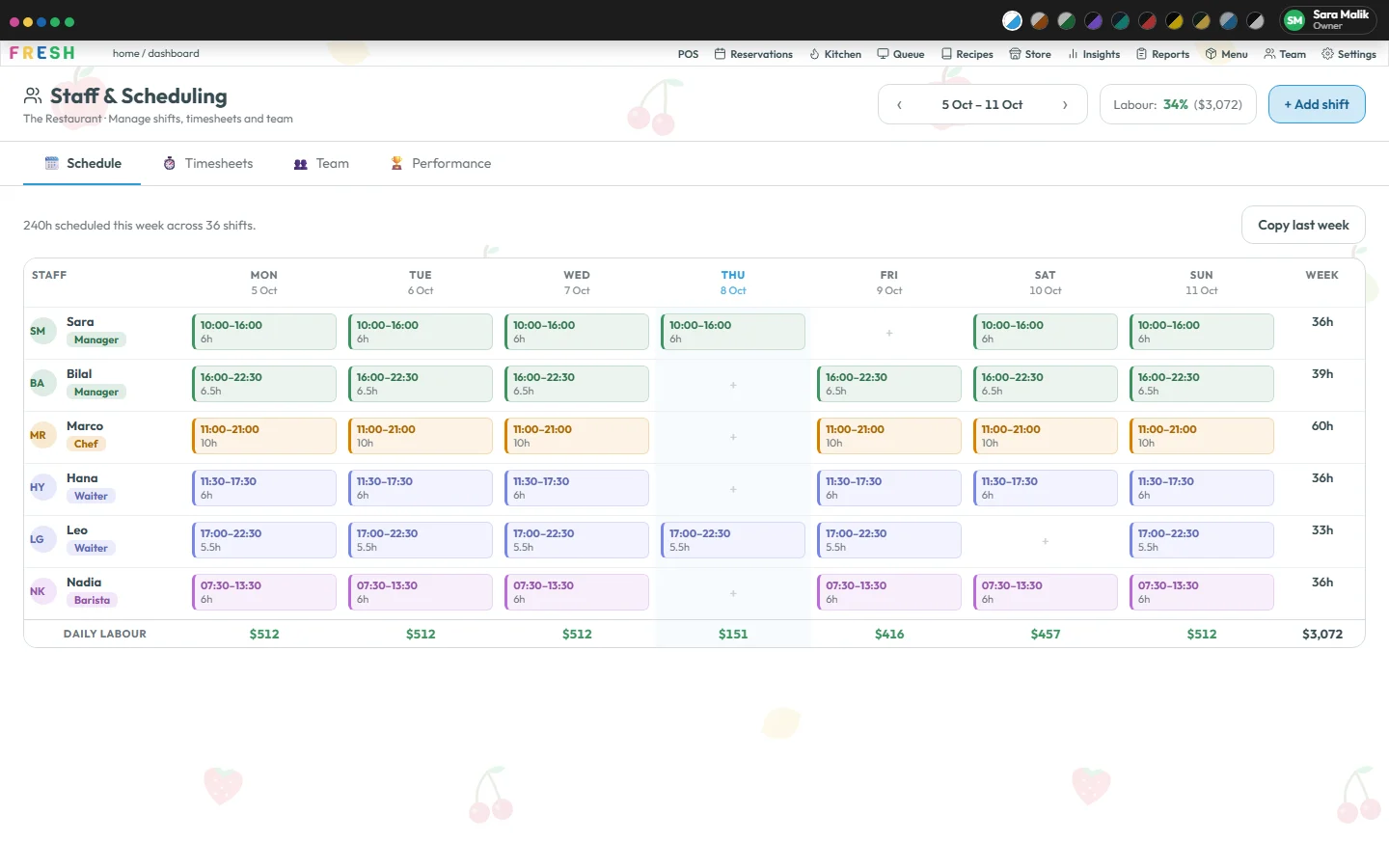
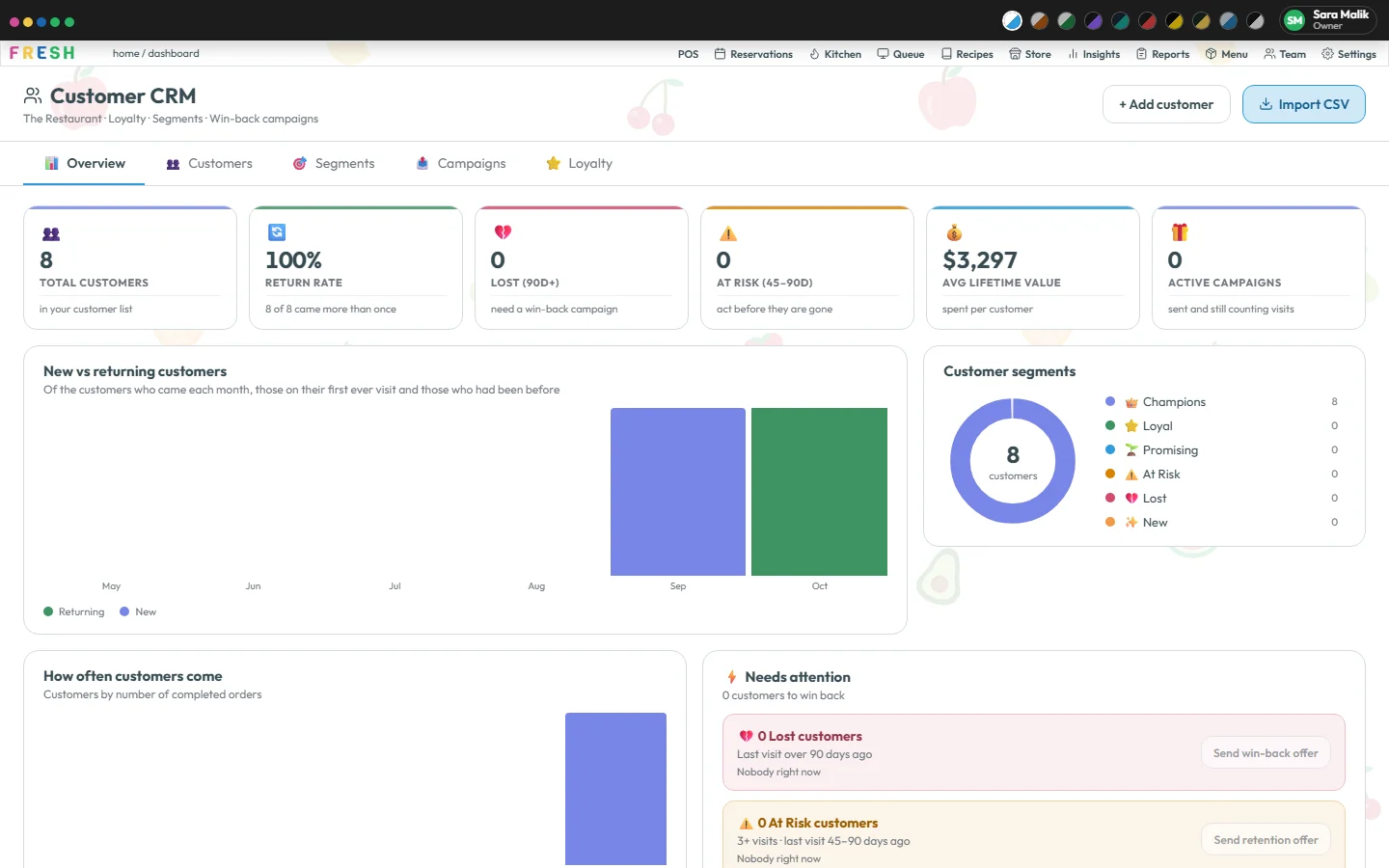
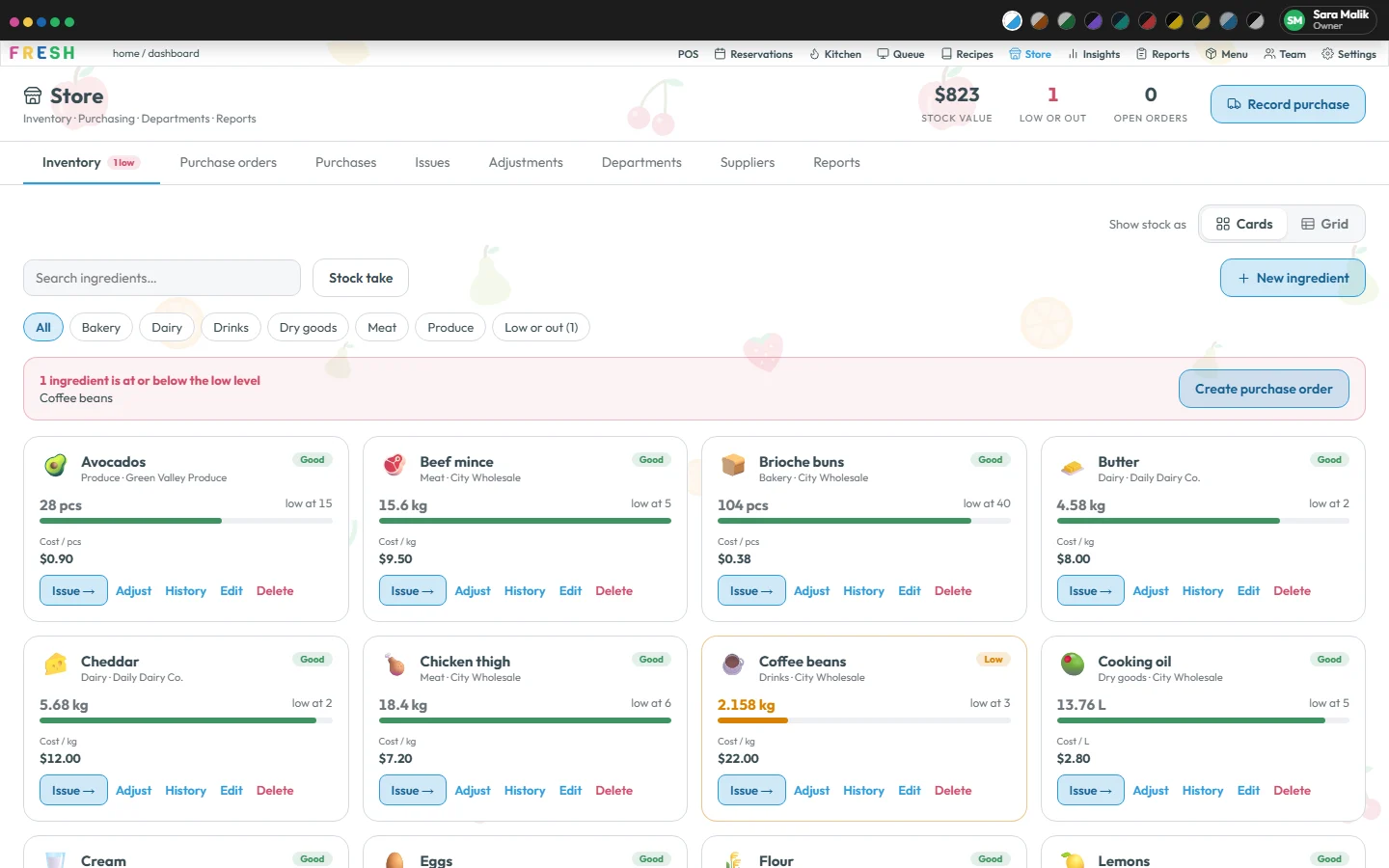
What’s inside
Pricing
Pay yearly: 2 months free
🍋 Every plan is free for your first 30 days. No card to start, nothing charged before day 30.
A café or a single counter
$20 a month
Our favorite
Every screen, one restaurant
$30 a month
Two sites or more
$25 per site, a month
The 30 days count from the day you sign up. Card payments from your guests go through your own Stripe account, with a 0.5% Fresh fee on each. Prices exclude tax.
Sign up with your restaurant’s name and your own details, no card needed, and use every screen of your plan for 30 days. If you want to stay, add a card in Settings › Billing; nothing is charged before day 30.
Most restaurants move over in an afternoon. Photograph your old menu and Fresh reads it in for you to check, it runs on the screens you already have, and we help you set up. Your customers’ visits and points build up from your orders as you go.
Choose a plan and pay monthly, or yearly with two months free. If you don’t, you can still sign in and look at your data; nothing is deleted.
No. Fresh runs in a web browser, so the tablet, laptop or touchscreen you have will do. Floor staff use the Fresh phone app, and the kitchen screen is any screen with a browser.
No. Guests scan the QR code on their table and order in their phone’s browser, delivery customers order in the browser too, and WhatsApp orders use the app they already have.
Yes. You connect your restaurant’s own number from Settings, and messages to your customers only ever go out from it.
Yes. Connect Claude, or another assistant that supports MCP, from Settings › AI assistants and ask in plain words about sales, stock, slow dishes, late orders or your team. It is read-only and never sees more than the person who connected it.
No. Photograph your printed menu or menu board and Fresh turns it into a draft with categories, prices and sizes. You check every line before anything is on the till, and an import can be undone for 24 hours.
Most of how Fresh behaves is a setting: your order types, tax, receipts, closing checklist, loyalty rules and more. If something’s missing, tell us.
You decide. Owner, manager, chef and waiter each see only the screens you allow, and the server checks every request, not just the buttons.
Yes. Plans are month to month, or yearly if you’d like two months free.
Tell us where to reach you. We’ll put your menu on a screen and walk you through it, and your 30 free days start when you’re ready. Rather do it yourself? Start the free trial.