A restaurant POS that runs on the screens you have.
Fresh is a point of sale for independent cafés and restaurants. It runs in a web browser on a tablet, laptop or touchscreen, so there is no special terminal to buy.
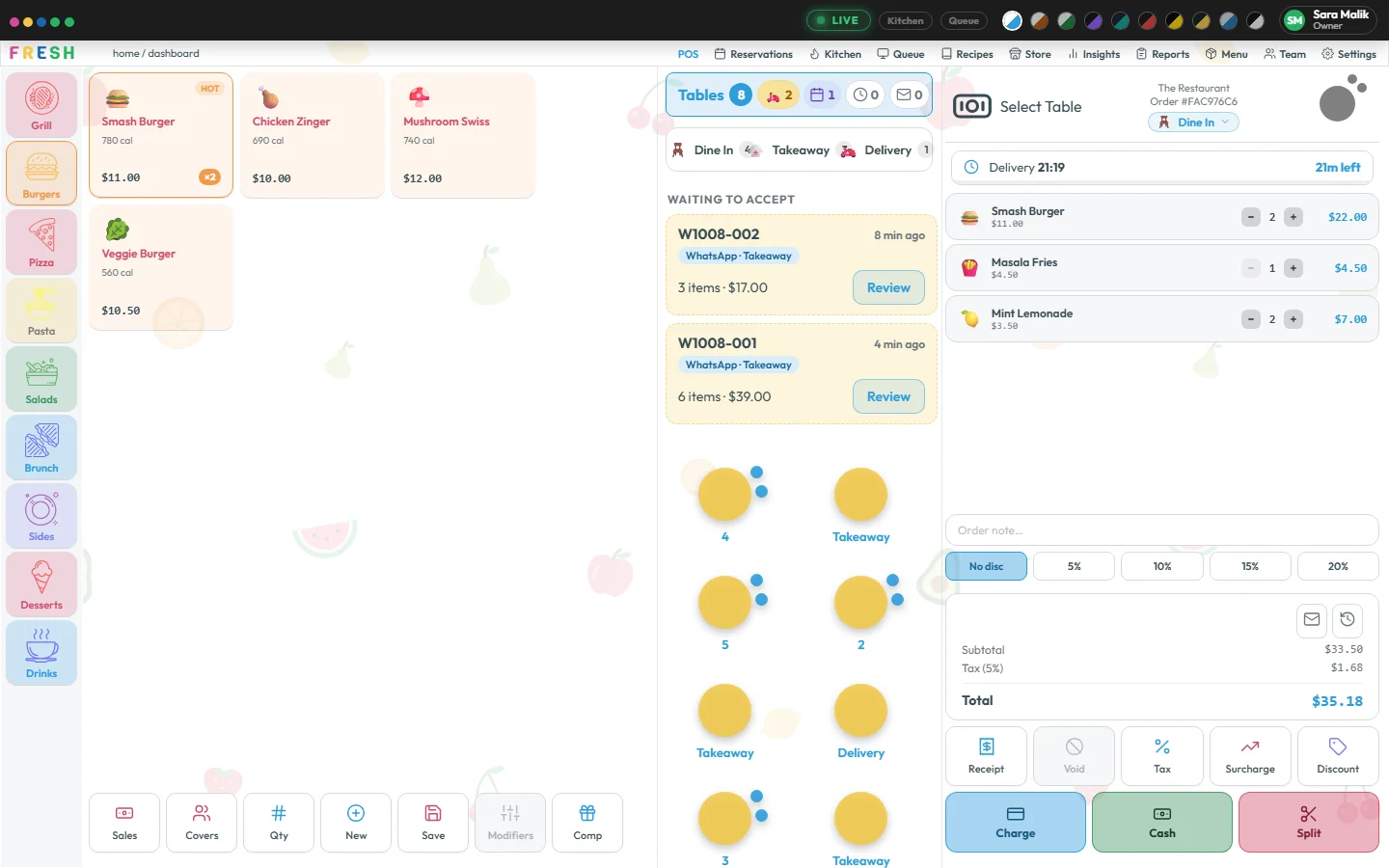
Orders the way your restaurant works
Dine In is built in; every other order type (takeaway, delivery, catering, whatever you sell) is yours to add or change in Settings. Pick the table and the number of guests, tap items, add modifiers and notes, and send the order to the kitchen.
A saved order reaches the kitchen screen on another device straight away, so nobody walks a paper ticket across the floor.
Tax and totals calculated once
Tax is worked out in one place, the same way on every screen, so the bill on the till, the receipt and the report always agree. Cash rounding is applied only when the guest pays.
Protected where money is at stake
Voiding an item, comping a dish or giving a discount can be locked behind a manager’s PIN. Saving or paying an order runs your checks first. What each person can do is set by role: owner, manager, chef or waiter.
Your floor, drawn as it stands
Draw each floor of the restaurant once: round, square or long tables, 1 to 12 chairs each, placed where they really are. Choose a table on the till and the waiter’s phone then shows that plan, with every table colored by how it stands and a filled chair for each guest seated. Watch the video.
Courses and seats, when you want them
Turn on courses and the starters go to the kitchen now while the mains wait, held, until a waiter presses Fire Mains on the bill. Seats say which guest each dish is for, so the kitchen sees it and the bill can be split by seat. Both are off until you switch them on. Watch the video.
Split the bill, any way the table likes
Split evenly, by item, by seat or by amount, take each part by cash or card with its own tip, and close the bill when nothing is left. Every report knows how each order was really paid. More on payments.
Take payment at the till, by card link or on a card machine
Record cash and card at the till, show a pay-by-card link or QR code, or send the bill to a Stripe card machine. Card payments go through your own Stripe account, and the order closes on every screen once Stripe confirms it. See payments.
Your old menu, in from photos
Moving from another POS? Photograph your printed menu or menu board and Fresh reads it into a draft: categories, dishes, prices and sizes. You check every line and press Add to menu; nothing reaches the till before that. See the AI assistant.
Receipts and screens that look like you
Your business name, address, phone and logo appear on receipts and screens. Money is shown the way your business sets it, times in your time format, and color themes restyle the whole app.
Questions
Do I need special POS hardware?
No. Fresh runs in a web browser, so a tablet, laptop or touchscreen you already own will do. Floor staff can also use the Fresh phone app. A card machine and a kitchen printer are optional.
Can I add my own order types?
Yes. Dine In is built in, and every other order type is yours to add or change in Settings.
Can I stop staff from giving discounts?
Yes. Voids, comps and discounts can require a manager’s PIN, and each role only sees the screens you allow.
Do I have to type my whole menu in?
No. Photograph it and Fresh makes a draft for you to check, or ask your AI assistant to add it. You still check every line before anything is on the till.