A kitchen display everyone can read.
Orders appear on the kitchen screen the moment they are saved, from the till, a waiter’s phone, a guest at the table, WhatsApp or the customer app. No shouting across the pass, and paper only if you want it.
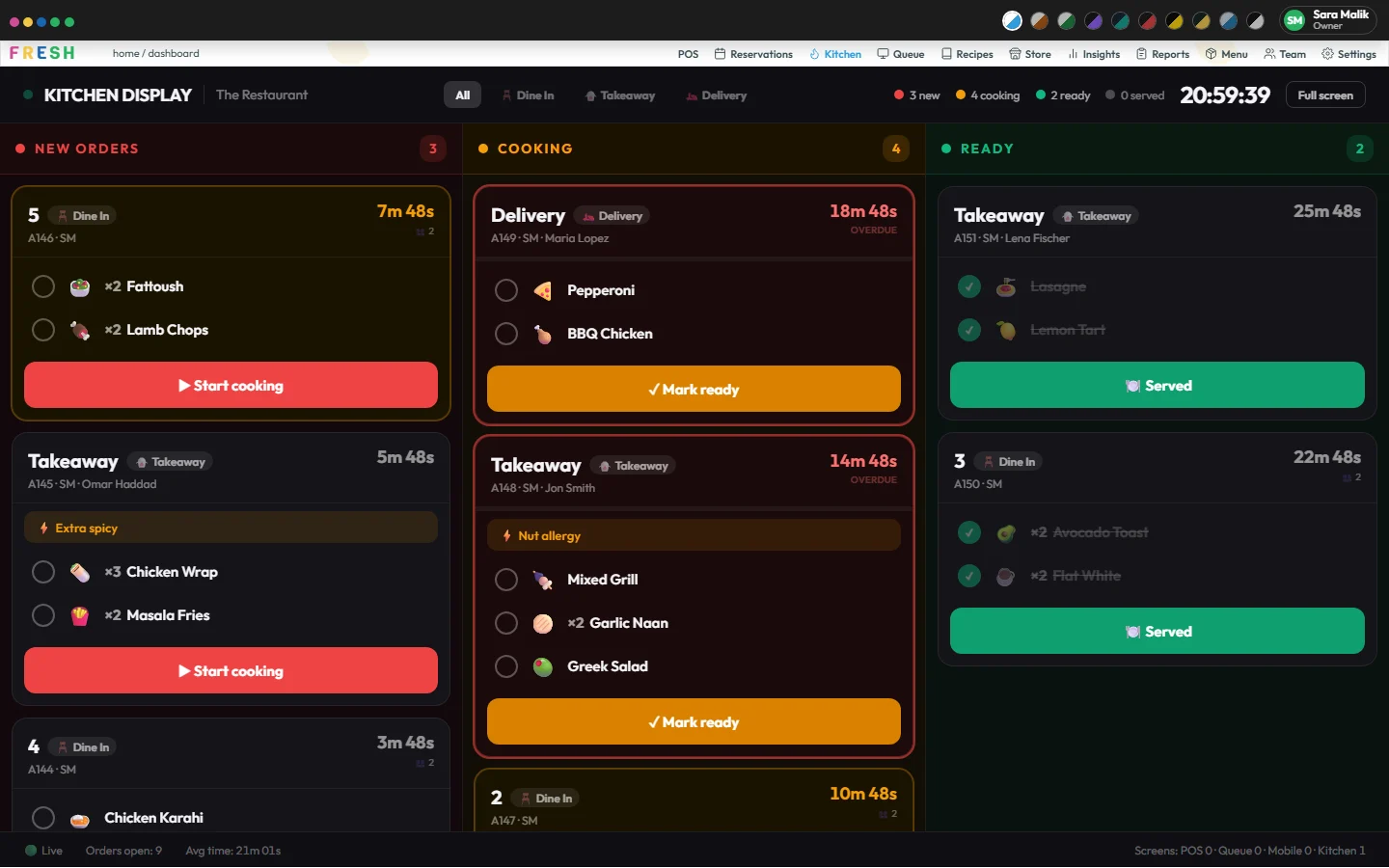
New, cooking, ready
Tickets move through three columns as the kitchen works on them. Each shows the dishes, any notes (for example Nut allergy) and how long it has been waiting.
Stations: grill, fryer, bar
Split the kitchen into stations and tick the menu categories each one cooks. A station’s screen shows only its dishes and moves only its own lines, and the order is ready when the last station is done. No stations is one kitchen, as before. Watch the video.
Tickets on a kitchen printer
Give a station a network printer and its tickets print there, one to three copies. Only what changed is printed: an added dish, a changed one or a cancelled one, never the whole order again. One device prints for the restaurant, through the Fresh desktop app straight to printers on your own network, or the browser’s print.
Courses held until they are fired
With courses on, a held course shows greyed as HELD and cannot be started. When the waiter fires the mains, they appear for cooking, and an order that was ready goes back to cooking.
A queue board for guests
A customer queue screen shows order numbers and whether each is being prepared or ready, so the counter is not crowded with questions.
Messages between floor and kitchen
The floor can send the kitchen a message about a table that is in a hurry or a dish that has run out, so the news does not depend on someone walking over.
Any screen, any time of day
The kitchen display is a web page, so any screen with a browser works, and chefs can use it on their phones. Its board colors follow your theme, so it stays readable in a bright kitchen or a dark one.
One source of truth
The kitchen’s status is set by the kitchen service only, so the waiter’s phone, the guest’s table ordering screen and the WhatsApp “ready” message all follow the same ticket.
Questions
What do I need for a kitchen screen?
Any screen with a web browser. There is no special kitchen hardware.
Can it print kitchen tickets?
Yes. Each station can have a printer on your own network (ESC/POS, port 9100), printed by one device running the Fresh desktop app. Without one, the browser’s print works too.
Can chefs use their phones?
Yes. A person who is only a chef lands straight on the kitchen display in the phone app.