Let guests order from the table.
Table ordering takes the pressure off a busy floor: guests browse the menu and order at their own pace, and staff spend their time on hospitality.
QR codes on the tables
Print a QR code for each table, for just the tables you choose: table cards, stickers or large cards, straight from the browser. A guest scans it and orders on their own phone, with no app and no sign-in, then follows the order to their table. Each order arrives on the POS for your staff to accept, with the table and the number of guests. Watch the video.
Browse, order, follow along
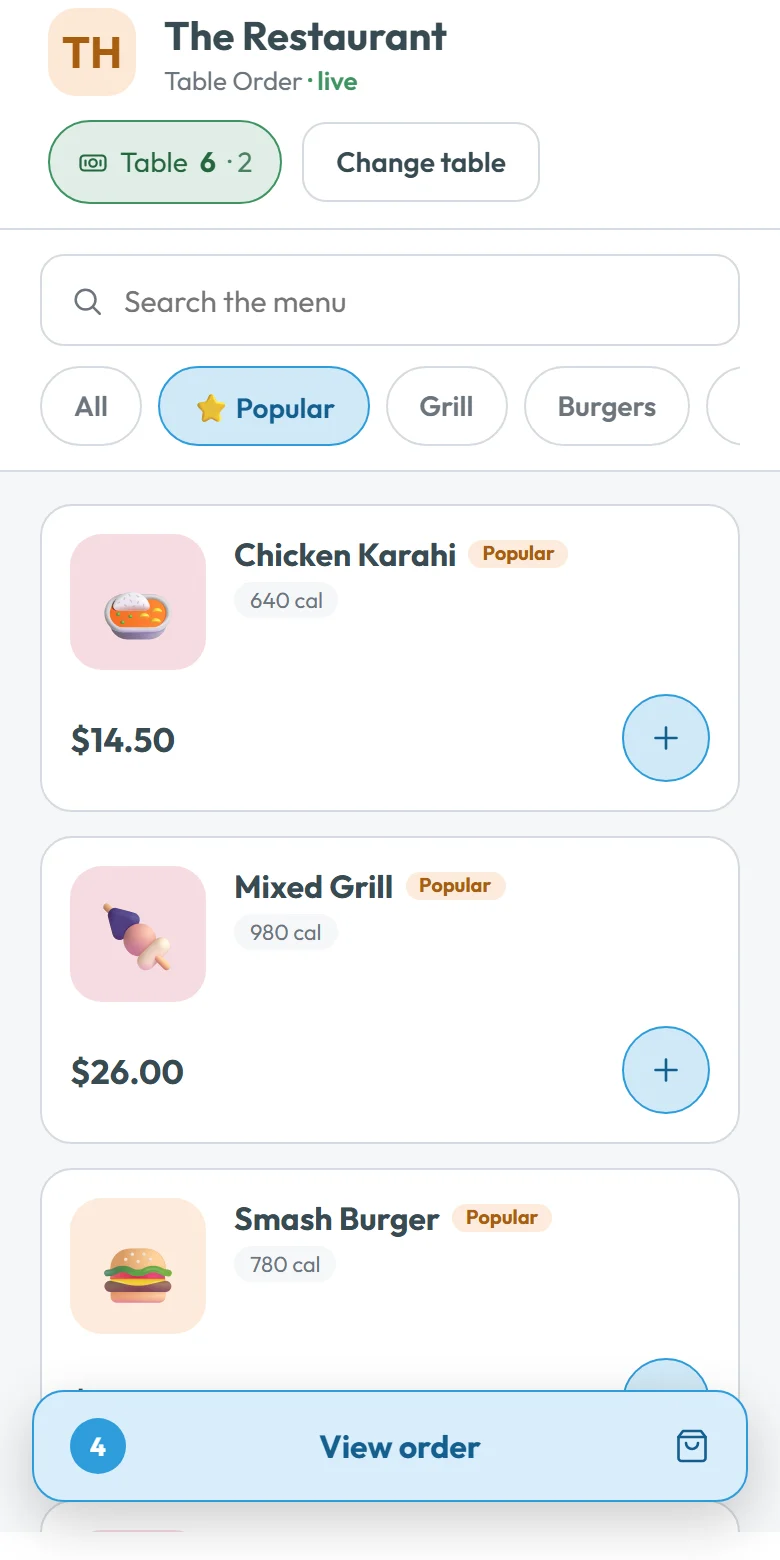
The guest sees the menu you set up, with your popular dishes first, and adds items. Prices come from your menu on the server and the totals are worked out the same way as at the till, so prices, modifiers and tax always match.
A real status, not a timer
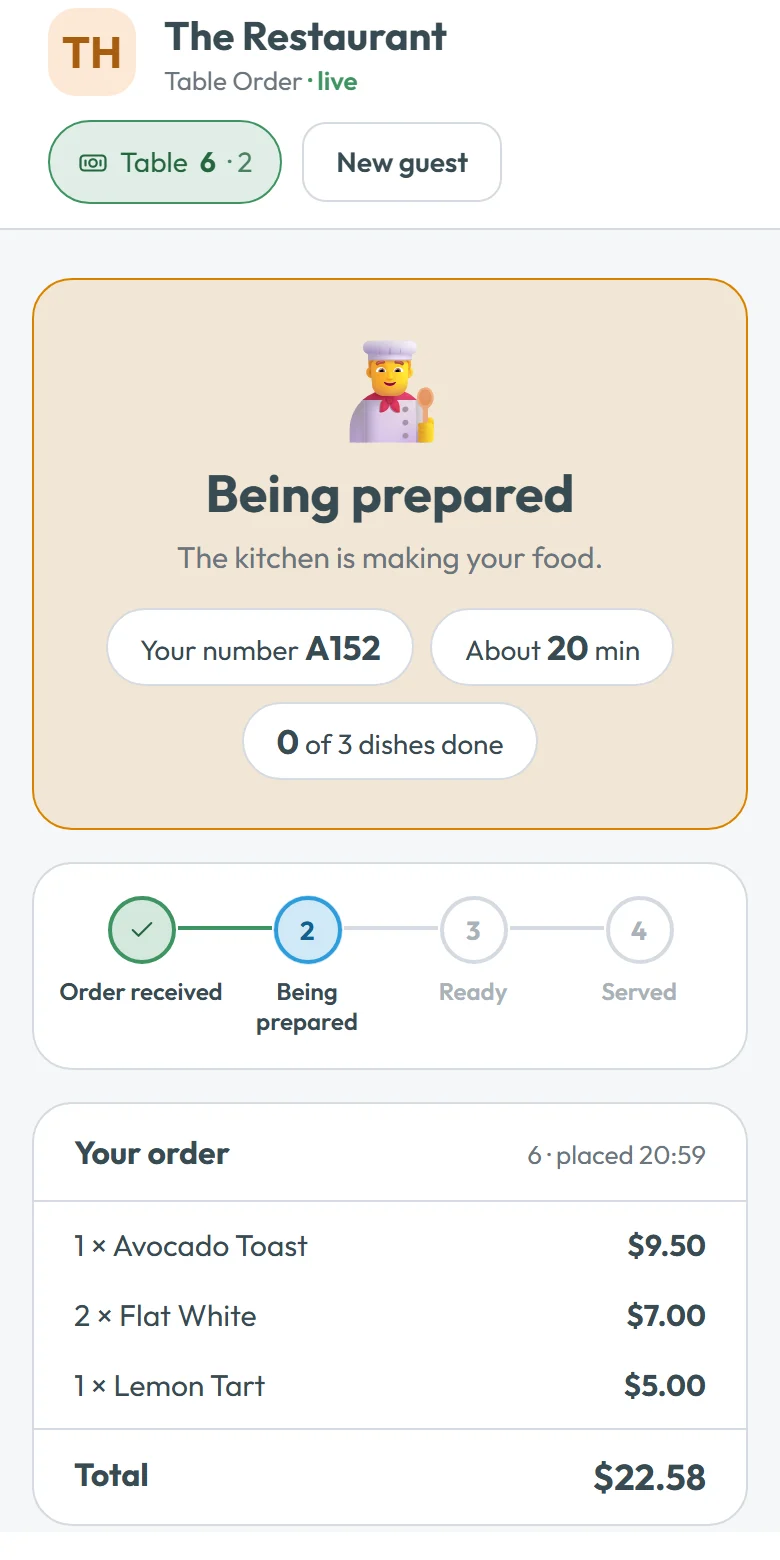
After ordering, the guest follows their order through the kitchen. The status comes from the kitchen’s own screen over a live connection (new, cooking, ready), so what the guest sees is what is happening in the kitchen.
Safe from orders at home
An order is only taken from a phone at the restaurant: the phone shares its location once and it must be near your restaurant’s place on the map. Codes can expire after a day, a week or a month, or straight away, and New codes replaces a code that was photographed, so the old card stops working.
Or a tablet on the table
Prefer a tablet on each table, or a staff phone handed to the guest? Table Order runs on it with the restaurant signed in. Either way the order lands on the kitchen display and on the waiter’s Tables screen like any other, and the bill can be paid by card link.
Questions
Do guests need to download an app?
No. They scan the QR code on their table and order in their phone’s browser, with no sign-in.
Can someone order from home with a photo of the QR code?
No. An order is only taken from a phone at the restaurant, and your staff accept every order on the POS. Codes can also expire or be replaced at any time.
How does the guest know when food is ready?
The order status follows the kitchen’s real screen over a live connection, so it changes when the kitchen changes it.
Is it the same menu and prices as the till?
Yes. The menu and prices are your own, and the totals are checked to agree with the point of sale to the cent.